HiTCF User Guide
HiTCF is more than a question bank — it's a full TCF Canada practice loop. This guide walks through every feature in the order you'll actually meet it, from your first question to the full mock exam the week before the test.
Last updated: 2026-07-30
On this page
1. Start here
Sign up, pick a set, pick how to practice — three steps to your first question.
- Sign up with your email. A verification code confirms it in about 30 seconds, no credit card.
- Browse the question bank by subject — Listening, Reading, Speaking, Writing — and open any set.
- On first visit you'll set a target level (B2, C1…). It applies everywhere: practice difficulty, model essays and speaking samples all follow it.
2. Four ways to practice
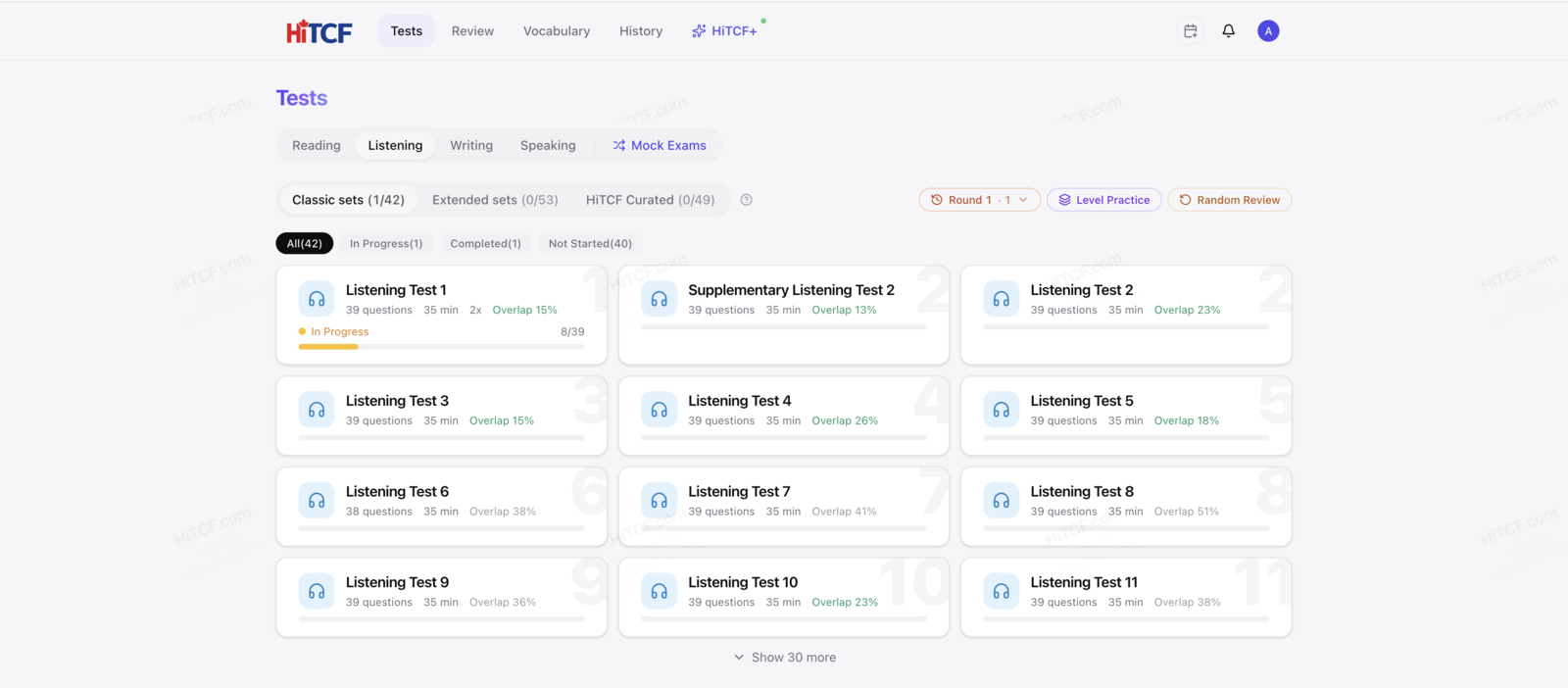
The same set opens four ways. The only real difference is when you get to see the answer.
- Set practice — Work through in order, with the explanation right after each answer. The everyday mode.
- Level practice — Filter by A1–C2 to drill a weak spot; questions you've done are skipped, and the navigator groups what's left by set.
- Open-book — See the answer and explanation before you respond — for understanding the question itself. Mark items as read to track progress.
- Exam mode — Timed, no answers shown. Score and level estimate arrive together when you submit.
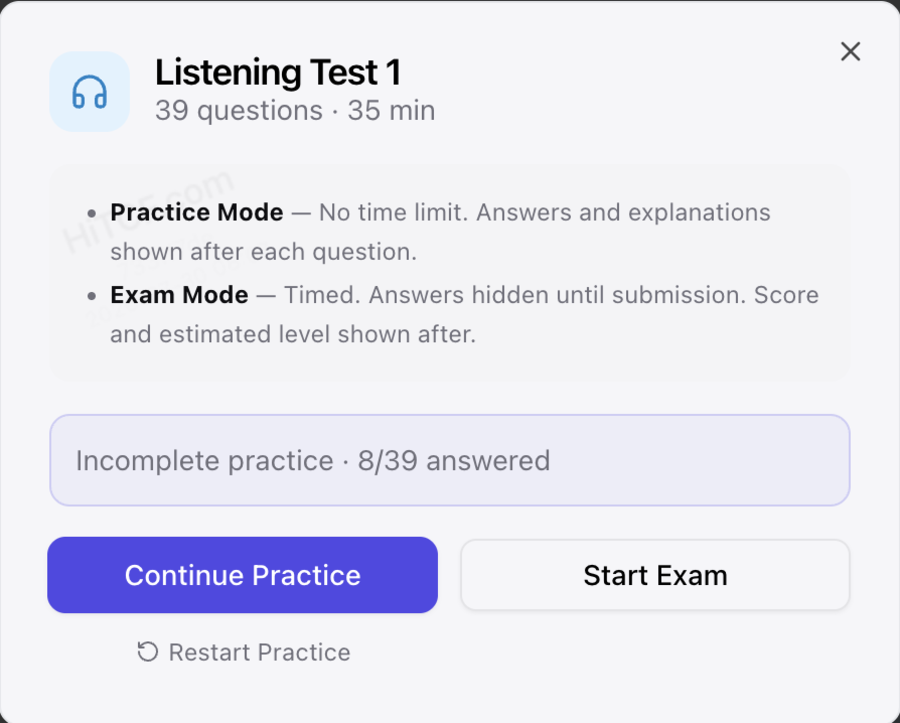
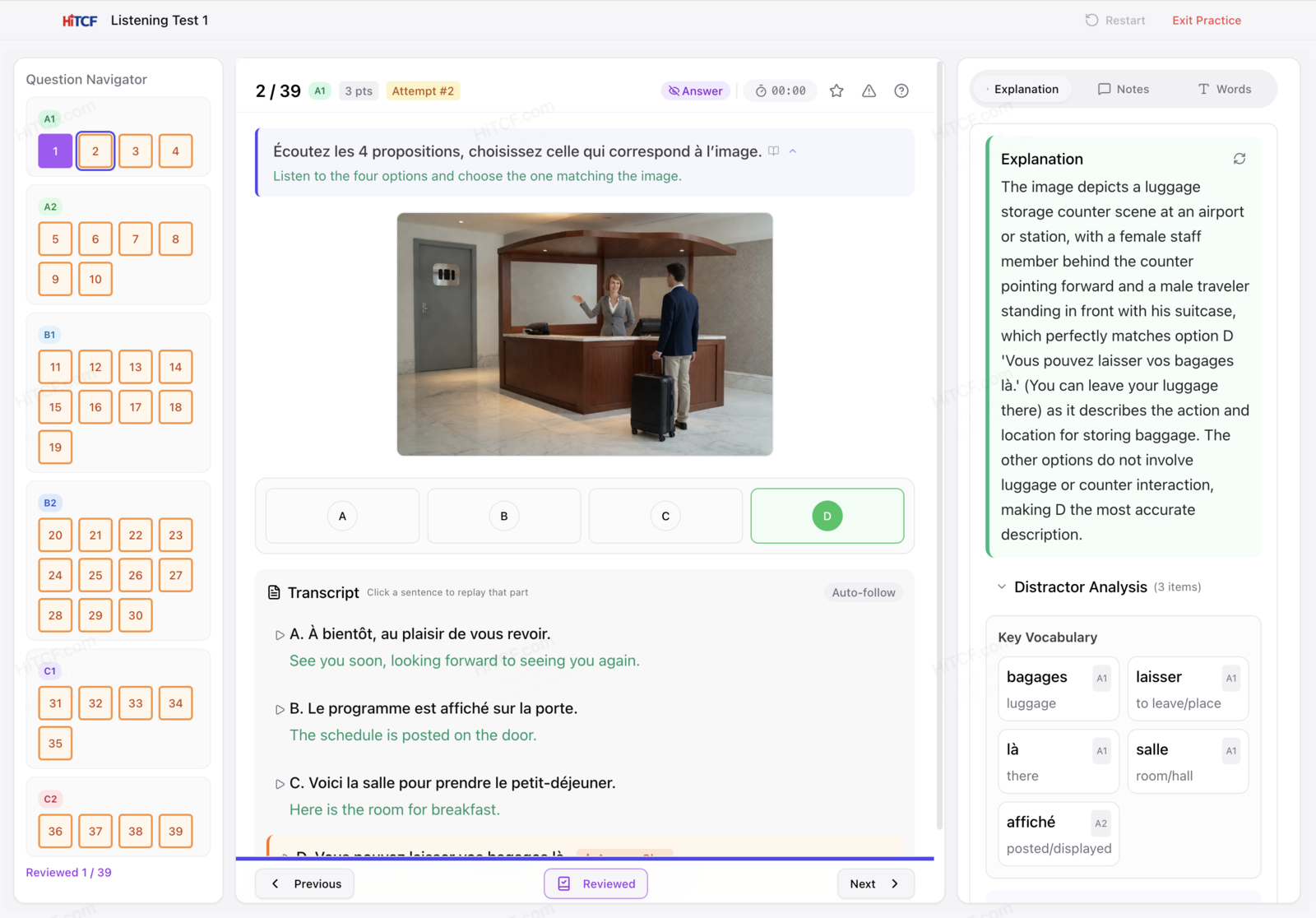
3. Listening: practice against the transcript
Every listening item ships with its original audio. Change speed (0.5×–1.25×), replay, loop a segment, and follow the sentence-by-sentence transcript — each line carries the French plus an English and Chinese translation. Tap a line to replay just that line.
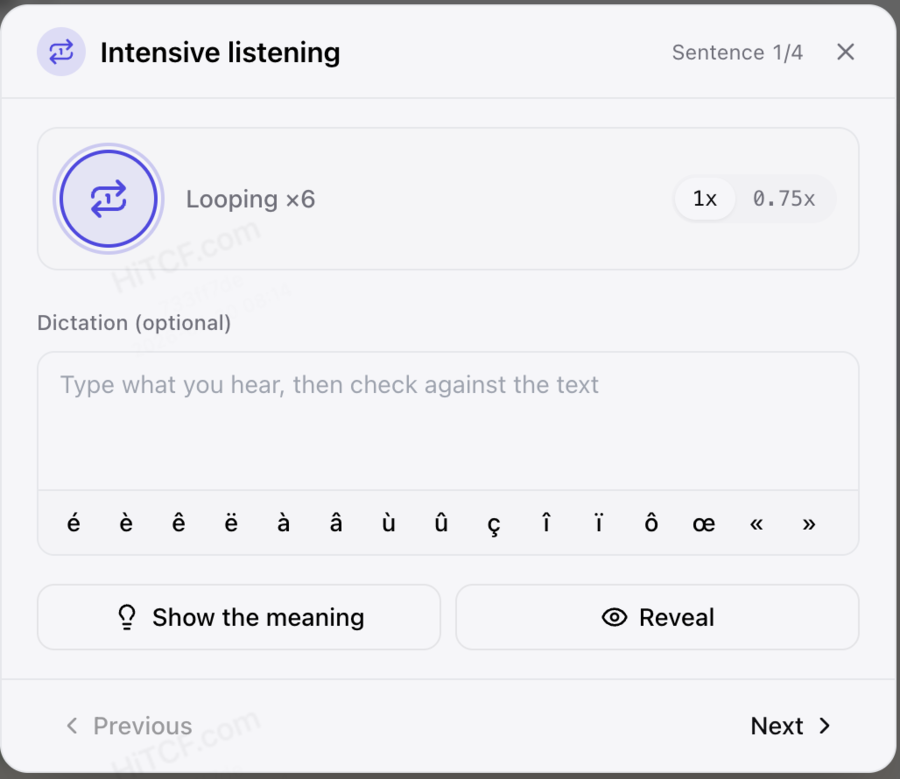
4. Intensive listening: loop one sentence, type what you hear
For the line that keeps escaping you, open Intensive mode: loop a single sentence, slow it down, type what you hear before seeing anything, then compare word by word against the transcript and reveal. Hit Next to chain straight into similar items.
5. Reading: answer first, then read it line by line
Read the passage and answer; the sentence-by-sentence translation and the explanation unlock together. Tap Open-book to flip back to the passage and check your answer against it. On a phone, swipe left and right to move between questions.
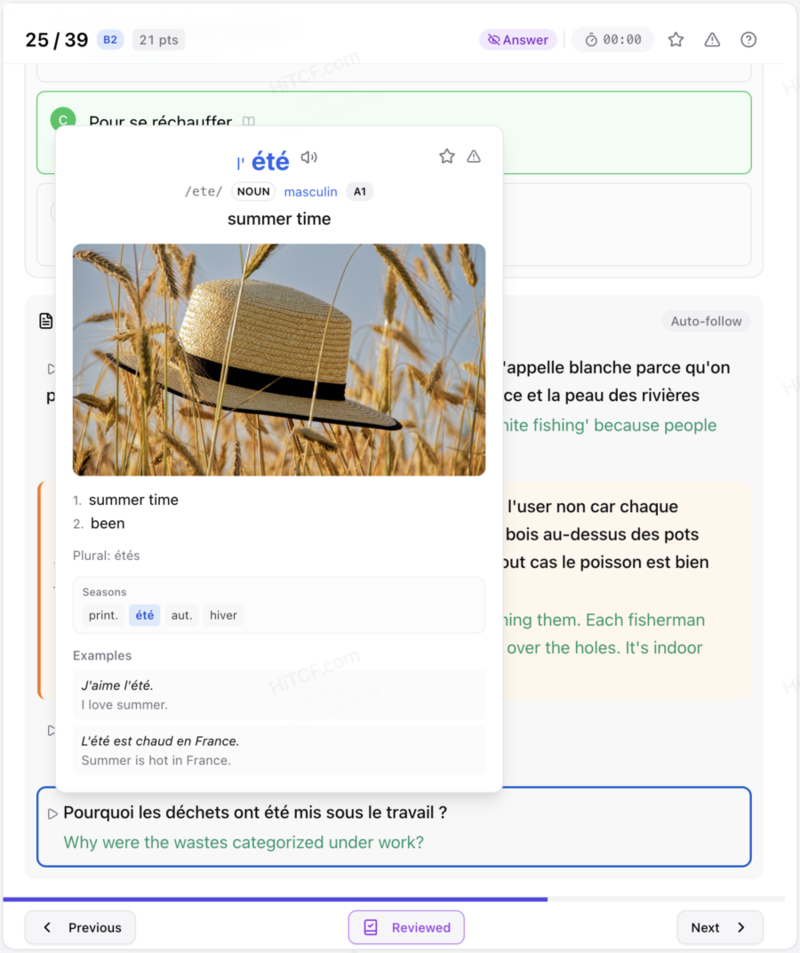
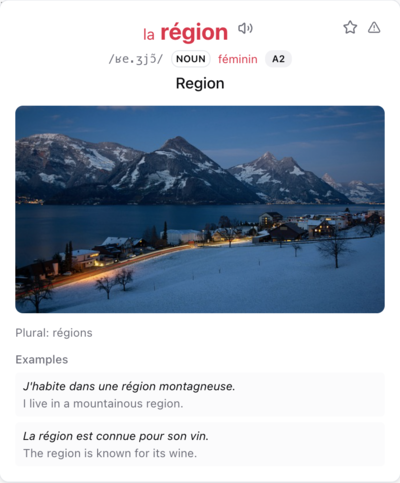
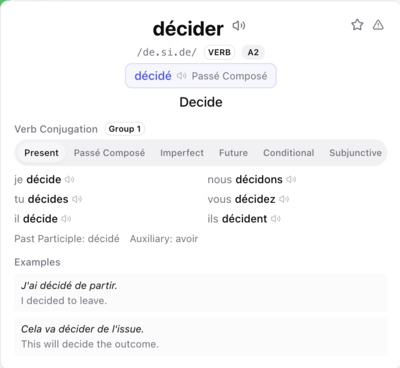
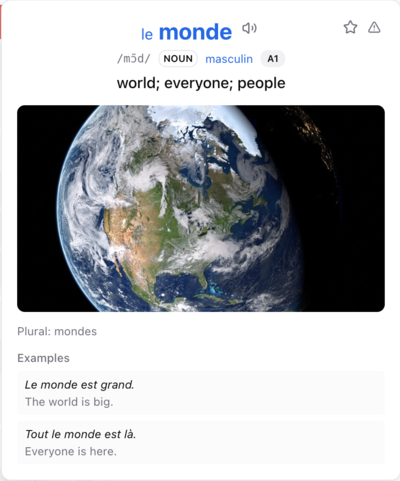
6. Tap any word for its card
Every word in a passage or transcript is tappable. The card shows gender by colour, the full conjugation table for verbs, instant pronunciation, and one-tap saving to your vocabulary notebook. Typing a conjugated form works too — it resolves back to the infinitive.
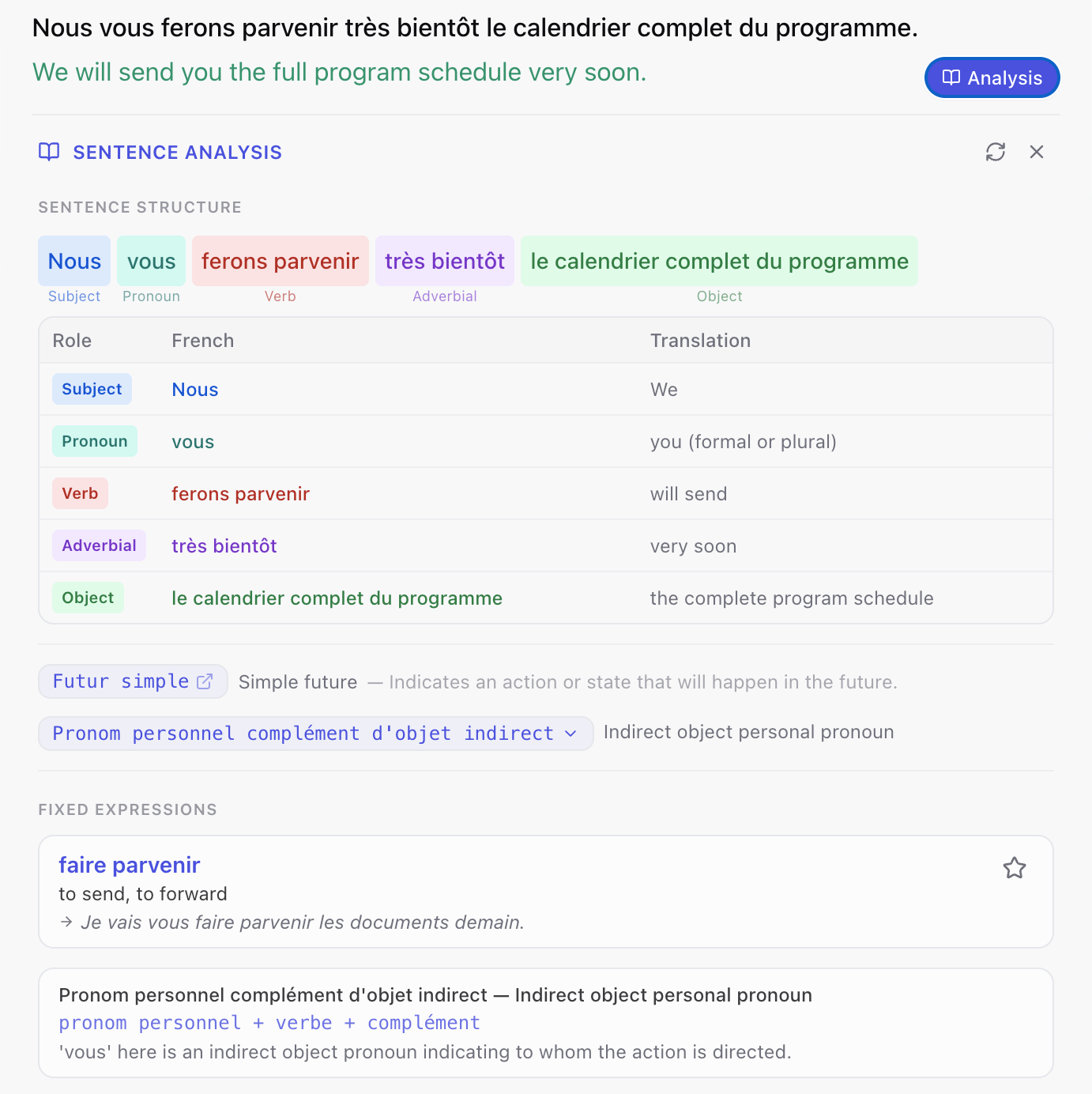
7. Sentence analysis
Tap a sentence to break it down — grammatical roles, tense, fixed collocations and grammar points — with quick-reference grammar cards. Any collocation can be saved to your vocabulary pool on its own.
8. Wiki cards for names and places
Proper nouns in passages and transcripts open an instant card: photo, pronunciation and a summary in your language. No stopping to find out who or where.

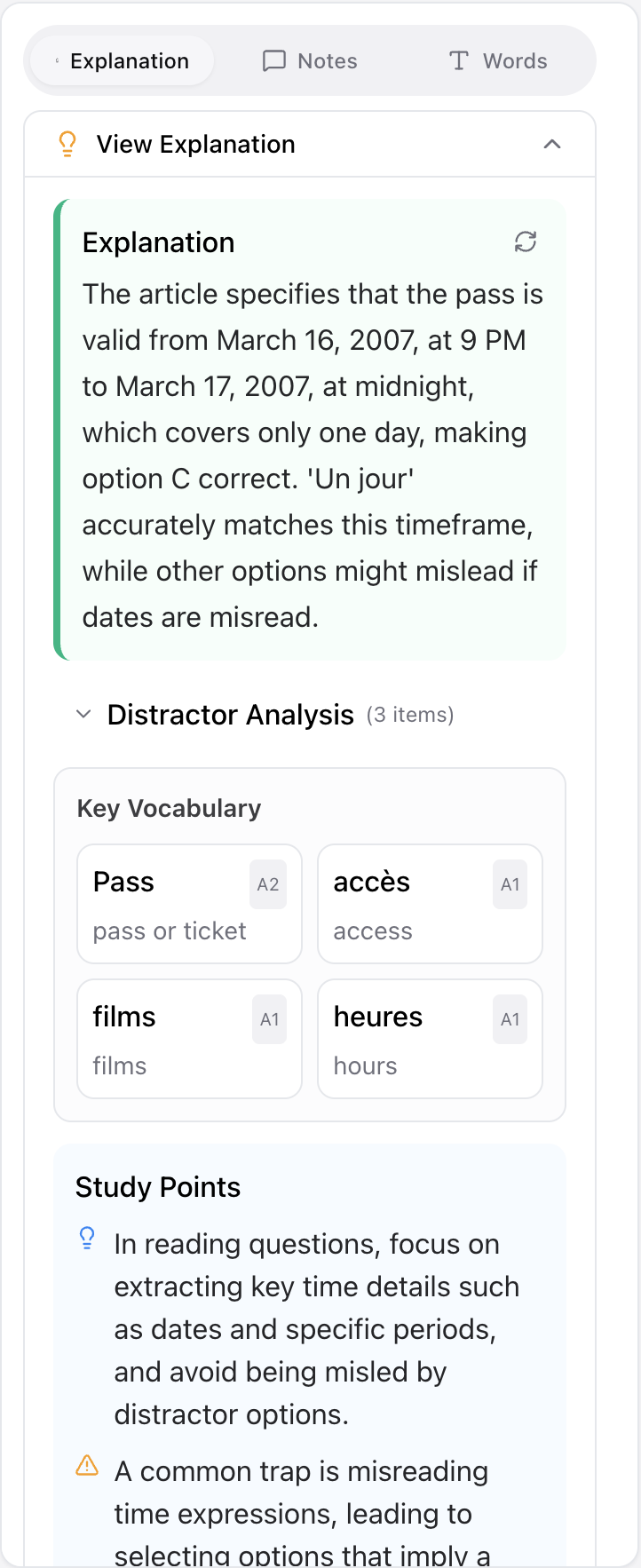
9. Explanations and similar questions
More than right or wrong: each distractor is analysed for why it fails, key vocabulary is pulled out, and the reasoning transfers to questions of the same shape. Below the question, a Similar questions panel splits into closely similar and same-topic, each expandable in place.
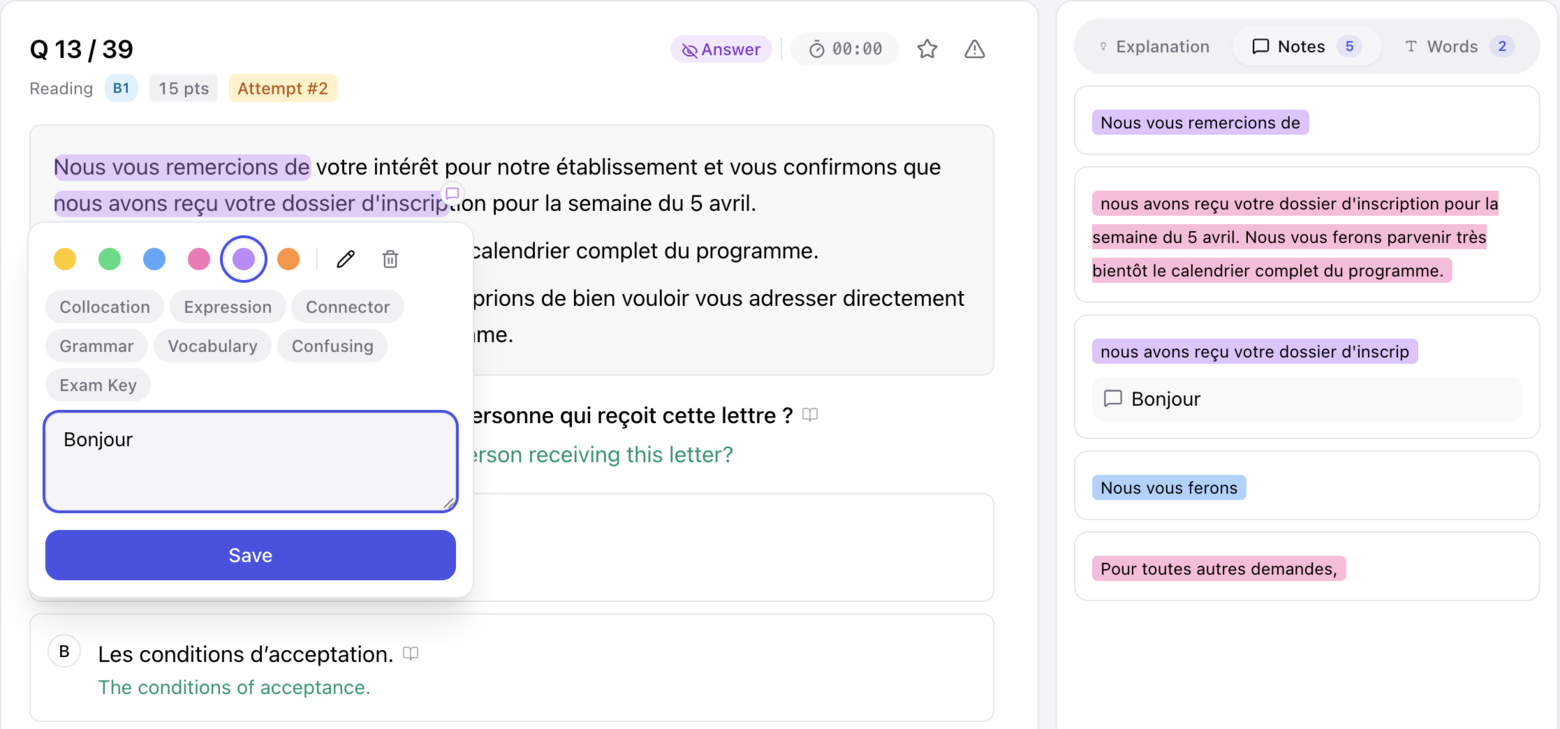
10. Highlights and notes
Highlight any sentence in six colours, tag it (collocation, grammar, exam point…) and add a note. Everything collects under Review → Notes, each entry carrying its original sentence and translation so you don't have to hunt for context. Note cards support word lookup and read-aloud too.
11. Speaking: from single sentences to the full exam
Three layers — build it sentence by sentence, then talk to an AI examiner, then run the real exam flow.
- Tâche 3 sentence drills — Import a whole draft or write line by line; reorder, star a sentence to your sentence book, press R to replay the prompt audio, and see how many other questions each line has been reused in. Once it's solid, Dictation hides the text and you write it from memory.
- Tâche 2 sentence shadowing — Shadow line by line with instant comparison, plus a sentence-analysis panel and pausable original audio.
- AI examiner conversation — A live conversation where the examiner follows up, then scores you with per-criterion feedback.
- Full speaking exam — All three Tâches back to back in exam order with automatic scoring — or sit a single task on its own.
- Pronunciation scoring — A phoneme-level breakdown marking the problem sounds word by word, with the target IPA.
- Emergency phrases — A stock of rescue expressions for Tâche 3 — examiner questions can be read aloud and answers hidden.
- Model answers — Every question has a Practice | Model tab pair. Study the model side by side and save its patterns in one tap.
Speaking practiceSample scripts
12. Writing: grading and model essays
Short messages and argumentative essays, with the prompt translated line by line. AI grades your draft against the official criteria and returns per-criterion scores with concrete revisions.
- Three ways to use a model essay — Sentence by sentence, import a whole draft, or generate one. Sentence dictation saves your progress; you can also recite it (recall the French from the Chinese) or listen line by line. Models are generated at your target level — the level is a ceiling, so you never get sentences you can't memorise.
- Vocabulary tab — Tap words in the prompt, reference documents or model essay to save them; a badge counts what you've collected.
- Writing mock exam — Timed, in exam format, graded on submission.
13. Vocabulary: saving a word makes a card
Save a word anywhere and it becomes a flashcard and a dictation item, scheduled by a forgetting curve.
- Your notebook — Flashcards support swipe-to-turn and autoplay (read the word → flip → read the meaning, with a 0/2/5-second gap — good for a commute). Dictation and a fast browse pass are there too, and you choose how many new words each session brings in.
- Theme vocabulary — 18 themed word lists plus a daily pair (top-bar countdown and high-frequency exam expressions), all usable as flashcards and dictation.
- Lookup, both directions — Look up any French word in the dictionary — or type English or Chinese to find the French word.
- Anki export — Export a whole notebook as Anki cards.
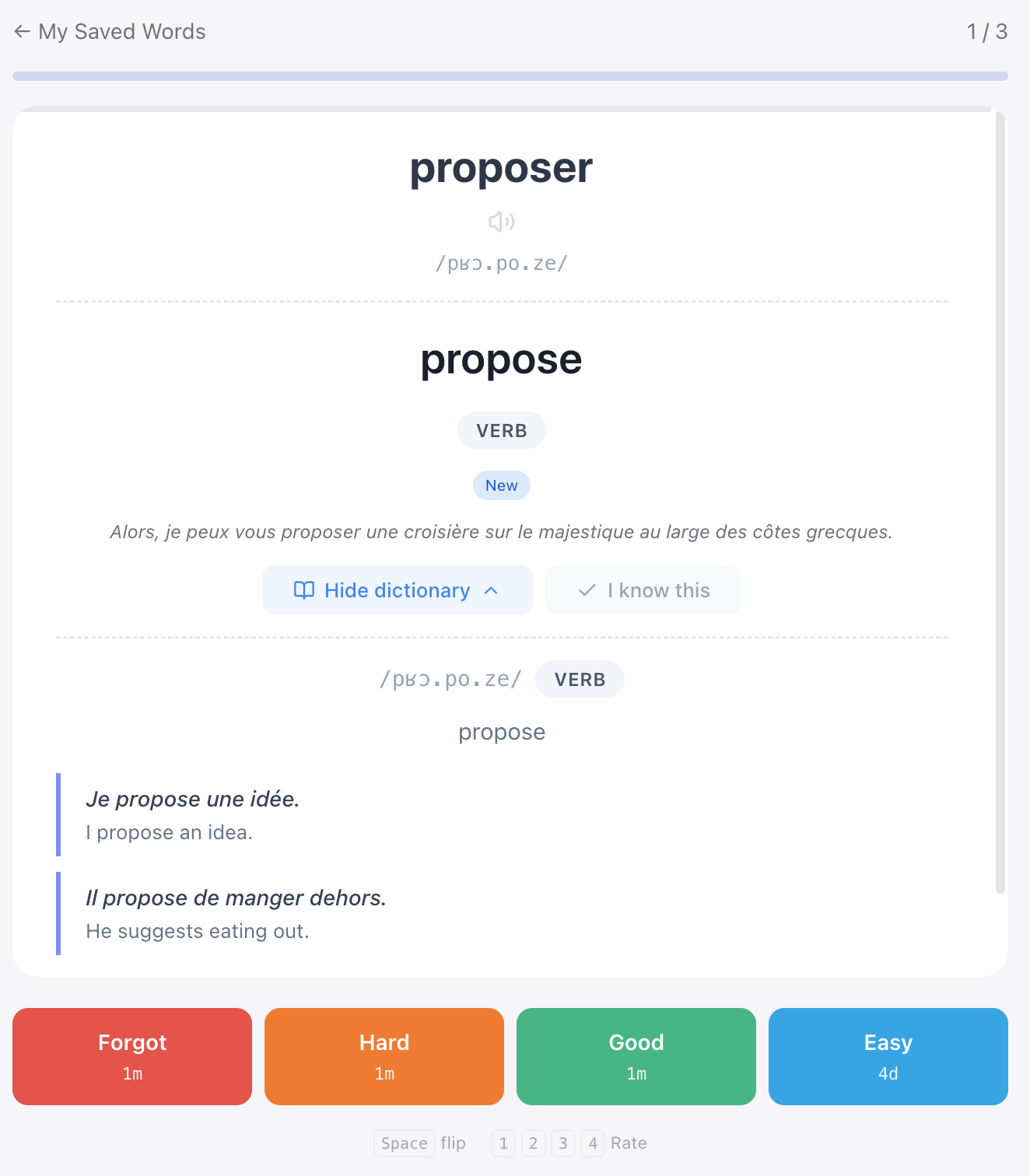
14. Review: what you got wrong comes back on its own
- Wrong answers — Every miss lands here and returns when it's due. A question counts as mastered after five correct answers in a row spread over at least 30 days.
- Review book — Wrong answers, bookmarks, notes, essays and speaking in one place, with the scores and feedback from every past attempt. A sequential pass mode walks you through them in order.
- History — Every practice run and mock exam is kept, and can be reviewed or deleted.
15. Mock exams: three sizes
- Single section — Listening ≈ 35 min, Reading ≈ 60 min. Timed, no answers until you submit.
- Set mode — Sit a complete classic set — available for both listening and reading.
- Full exam run — Listening and reading back to back (≈ 95 min) with no break — the closest thing to the real pacing.
16. For the gaps in your day
- Audio player — Turn your wrong answers, bookmarks, sets and speaking Tâche 3 into continuous audio for a commute. Tâche 3 is grouped by month, loops in three languages, and resumes where you left off.
- Read-aloud square — Record French and publish it; listening to what others posted is free.
- Quick reference — Grammar reference with self-tests (a wrong answer goes into review automatically), full conjugation tables where any word opens its card, exam-room phrases, and the Tâche 2 question bank.
17. Keeping a rhythm
- Exam countdown — Set your test date and the top bar keeps the days remaining in view.
- Daily check-in — Tracks your practice streak.
- Seat monitor — Email alerts the moment seats move at a test centre, plus a recommendation score per centre.
- Target level — One setting site-wide: practice difficulty and model-answer level both follow it, and you can change it any time in settings.
18. Free allowance and membership
Signing up gets you two free listening sets and two free reading sets, plus a 5-question daily allowance — no credit card. There's also a 3-day speaking & writing trial (AI speaking conversation and essay grading), once per account.
- A paid plan unlocks the whole question bank and exam mode, the wrong-answer book, the vocabulary notebook with flashcards and dictation, Anki export, and seat email alerts. All four plans are one-time payments — nothing auto-renews, and they simply expire.
Start practicing
Pick a listening or reading set and run through one — see whether it suits you.
Want to understand the exam first?
Exam structure, scoring and the CLB / NCLC conversion, per-section tactics, a 30-day plan — the exam knowledge lives in the study guide.